Under construction. More sets are on the way.
Home
GAME

Enemy Chase

6 ways to chase

Tested in Unity · Godot · Web
1

Seek

Heads straight at you and never lets up.

prompt.txt3,009 chars
Seek: Heads straight at you and never lets up.

Goal: Make my enemy chase the player with Seek steering, so it feels relentless: it always heads straight for where the player is right now.

Use what my project already has:
- The player and the enemy. If either is missing, add a placeholder: one plain solid-colored square or circle, made with my engine's most basic built-in shape or sprite object. A placeholder player moves with WASD or the arrow keys at a constant speed, with no acceleration.
- Take every speed, distance and size from what my game already uses: the enemy's move speed and size, the player's speed. If there are no such values, make the player cross the screen in 2.5 seconds, set the enemy's speed to 90% of the player's, and size characters at 1/16 of the screen height.

Behavior. The pseudocode below is the exact behavior. Translate it line by line into my engine's language; keep every number, and do not add, remove, reorder or smooth anything:

    every frame:
      toPlayer = player.pos - enemy.pos
      dist = length(toPlayer)
      if dist > body:                                   # closer than one body length: stand still
        enemy.pos += normalize(toPlayer) * min(speed * dt, dist - body)

In the pseudocode:
- pos is a center position on the play plane (the ground plane in 3D). body is the enemy's body length, its larger side. speed is the enemy's move speed. dt is this frame's delta time in seconds.
- normalize of a zero vector is the zero vector. perpendicular(v) is v turned 90 degrees on the play plane.
- "pos += x" means move by x this frame. If my project moves characters through physics or its own movement code, make the same move through that (velocity = x / dt) instead of setting the position directly, so walls still stop it.

Edge cases:
- Frame-rate independent: scale every movement and every timer by the frame's delta time.
- Works in 2D and 3D. In 3D, move on the ground plane.
- The enemy has no physical collision with the player: it never pushes, blocks or knocks back the player, and the two can overlap.
- Add only what is described here. No health, damage, knockback, sound, particles, trails, UI, walls or obstacles, and do not change how the player moves. If my project already has any of these, leave them exactly as they are.

The feel depends on these, so keep them exactly:
- Constant pressure: it never stops or hesitates while the player is out of reach.
- The player can outrun it, but only just.

Before you finish, check your work:
- Does it aim at the player's current position every frame, never ahead of it and never past it?
- Is its speed constant until it is one body length from the player?
- Does every number come from my project or the fallback above, with nothing left for me to set?
- Does it behave the same at 30 and 144 frames per second?
- Does the project run with no errors or warnings in my engine version, as soon as I start the game, with no extra setup?
- Did you add nothing beyond what is described?

Works with any AI coding tool. Paste it into your project and run.
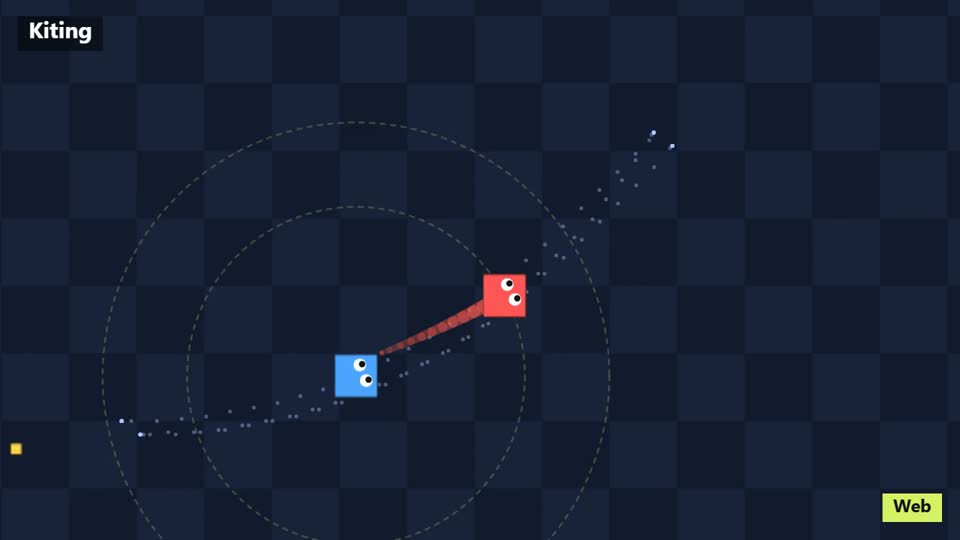
2

Pursuit

Chases where you're going, not where you are.

prompt.txt3,206 chars
Pursuit: Chases where you're going, not where you are.

Goal: Make my enemy chase the player with Pursuit steering, so it feels cunning: it runs to where the player is going, not where they are.

Use what my project already has:
- The player and the enemy. If either is missing, add a placeholder: one plain solid-colored square or circle, made with my engine's most basic built-in shape or sprite object. A placeholder player moves with WASD or the arrow keys at a constant speed, with no acceleration.
- Take every speed, distance and size from what my game already uses: the enemy's move speed and size, the player's speed. If there are no such values, make the player cross the screen in 2.5 seconds, set the enemy's speed to 90% of the player's, and size characters at 1/16 of the screen height.

Behavior. The pseudocode below is the exact behavior. Translate it line by line into my engine's language; keep every number, and do not add, remove, reorder or smooth anything:

    every frame:
      playerVel = (player.pos - player.posLastFrame) / dt    # zero while the player stands still
      dist = length(player.pos - enemy.pos)
      if dist > body:                                   # closer than one body length: stand still
        lookAhead = min(dist / speed, 1.0)              # seconds
        target = player.pos + playerVel * lookAhead
        enemy.pos += normalize(target - enemy.pos) * speed * dt

In the pseudocode:
- pos is a center position on the play plane (the ground plane in 3D). body is the enemy's body length, its larger side. speed is the enemy's move speed. dt is this frame's delta time in seconds.
- normalize of a zero vector is the zero vector. perpendicular(v) is v turned 90 degrees on the play plane.
- "pos += x" means move by x this frame. If my project moves characters through physics or its own movement code, make the same move through that (velocity = x / dt) instead of setting the position directly, so walls still stop it.

Edge cases:
- Frame-rate independent: scale every movement and every timer by the frame's delta time.
- Works in 2D and 3D. In 3D, move on the ground plane.
- The enemy has no physical collision with the player: it never pushes, blocks or knocks back the player, and the two can overlap.
- Add only what is described here. No health, damage, knockback, sound, particles, trails, UI, walls or obstacles, and do not change how the player moves. If my project already has any of these, leave them exactly as they are.

The feel depends on these, so keep them exactly:
- When the player runs sideways, the enemy visibly heads for a point in front of them and cuts them off.
- When the player stands still, it comes straight at them.

Before you finish, check your work:
- Does it aim ahead of a moving player and straight at a still one?
- Is the look-ahead time distance ÷ enemy speed, capped at 1 second?
- Does every number come from my project or the fallback above, with nothing left for me to set?
- Does it behave the same at 30 and 144 frames per second?
- Does the project run with no errors or warnings in my engine version, as soon as I start the game, with no extra setup?
- Did you add nothing beyond what is described?

Works with any AI coding tool. Paste it into your project and run.
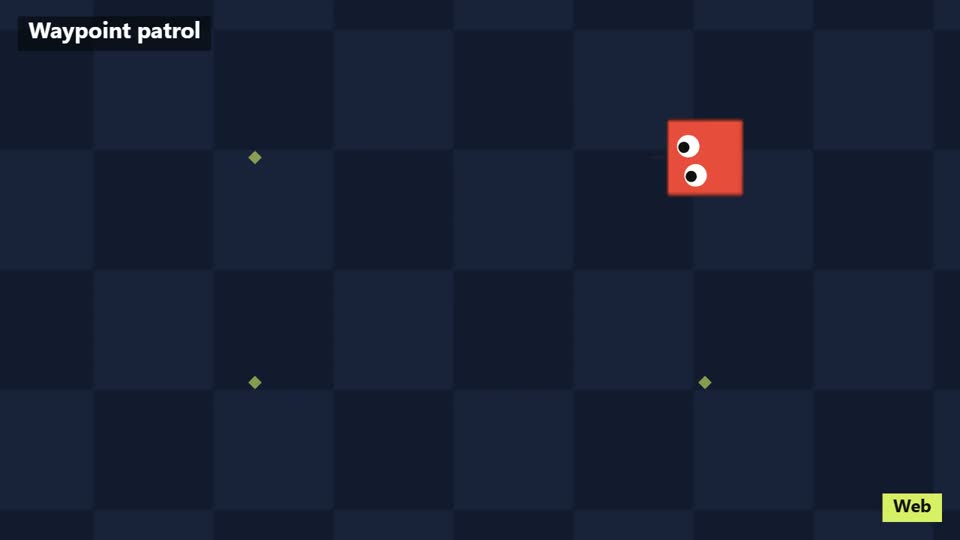
3

Zigzag approach

Weaves side to side as it closes in.

prompt.txt3,489 chars
Zigzag approach: Weaves side to side as it closes in.

Goal: Make my enemy approach the player in a zigzag, so it feels slippery and hard to hit: it closes in while weaving side to side.

Use what my project already has:
- The player and the enemy. If either is missing, add a placeholder: one plain solid-colored square or circle, made with my engine's most basic built-in shape or sprite object. A placeholder player moves with WASD or the arrow keys at a constant speed, with no acceleration.
- Take every speed, distance and size from what my game already uses: the enemy's move speed and size, the player's speed. If there are no such values, make the player cross the screen in 2.5 seconds, set the enemy's speed to 90% of the player's, and size characters at 1/16 of the screen height.

Behavior. The pseudocode below is the exact behavior. Translate it line by line into my engine's language; keep every number, and do not add, remove, reorder or smooth anything:

    at start:
      timer = 0                                         # runs forever, never reset
      pathPos = enemy.pos                               # the point that walks the straight path
    
    every frame:
      timer += dt
      toPlayer = player.pos - pathPos
      dist = length(toPlayer)
      if dist > body:                                   # closer than one body length: the path point stands still
        pathPos += normalize(toPlayer) * min(speed * dt, dist - body)
      toPlayer = player.pos - pathPos
      dist = length(toPlayer)
      side = perpendicular(normalize(toPlayer))
      weave = clamp((dist - body) / body, 0, 1)         # full beyond 2 body lengths, zero at 1
      enemy.pos = pathPos + side * body * weave * sin(2 * PI * timer / 1.0)

In the pseudocode:
- pos is a center position on the play plane (the ground plane in 3D). body is the enemy's body length, its larger side. speed is the enemy's move speed. dt is this frame's delta time in seconds.
- normalize of a zero vector is the zero vector. perpendicular(v) is v turned 90 degrees on the play plane.
- "pos += x" means move by x this frame. If my project moves characters through physics or its own movement code, make the same move through that (velocity = x / dt) instead of setting the position directly, so walls still stop it.

Edge cases:
- Frame-rate independent: scale every movement and every timer by the frame's delta time.
- Works in 2D and 3D. In 3D, move on the ground plane.
- The enemy has no physical collision with the player: it never pushes, blocks or knocks back the player, and the two can overlap.
- Add only what is described here. No health, damage, knockback, sound, particles, trails, UI, walls or obstacles, and do not change how the player moves. If my project already has any of these, leave them exactly as they are.

The feel depends on these, so keep them exactly:
- A clear left-right rhythm, two crossings per second.
- It still closes the distance steadily.

Before you finish, check your work:
- Is the swing one body width to each side, measured from the enemy's own size, at any distance beyond two body widths?
- Does it cross over every 0.5 seconds?
- Does every number come from my project or the fallback above, with nothing left for me to set?
- Does it behave the same at 30 and 144 frames per second?
- Does the project run with no errors or warnings in my engine version, as soon as I start the game, with no extra setup?
- Did you add nothing beyond what is described?

Works with any AI coding tool. Paste it into your project and run.

4

Telegraphed dash

Warns, then dashes. Dodge it and punish.

prompt.txt4,358 chars
Telegraphed dash: Warns, then dashes. Dodge it and punish.

Goal: Give my enemy a telegraphed dash, so it feels dangerous but fair: a clear warning, a fast dash, then an opening for the player.

Use what my project already has:
- The player and the enemy. If either is missing, add a placeholder: one plain solid-colored square or circle, made with my engine's most basic built-in shape or sprite object. A placeholder player moves with WASD or the arrow keys at a constant speed, with no acceleration.
- Take every speed, distance and size from what my game already uses: the enemy's move speed and size, the player's speed. If there are no such values, make the player cross the screen in 2.5 seconds, set the enemy's speed to 90% of the player's, and size characters at 1/16 of the screen height.

Behavior. The pseudocode below is the exact behavior. Translate it line by line into my engine's language; keep every number, and do not add, remove, reorder or smooth anything:

    at start:
      state = CHASE; stateTime = 0; cooldown = 0; dashDir = (0, 0)
    
    every frame:
      stateTime += dt
      toPlayer = player.pos - enemy.pos
      dist = length(toPlayer)
    
      if state == CHASE:
        enemy body color = normal
        cooldown = max(cooldown - dt, 0)
        if dist > body:                                 # closer than one body length: stand still
          enemy.pos += normalize(toPlayer) * min(speed * dt, dist - body)
        if dist <= 6 * body and cooldown == 0:
          state = WINDUP; stateTime = 0
    
      else if state == WINDUP:                          # 0.5 s, standing completely still
        enemy body color = warning                      # the whole body, clearly different from normal
        if stateTime >= 0.5:
          dashDir = normalize(toPlayer)                 # locked here, never changed during the dash
          state = DASH; stateTime = 0
    
      else if state == DASH:                            # 0.3 s
        enemy body color = normal
        enemy.pos += dashDir * 3 * speed * dt           # passes straight through the player
        if stateTime >= 0.3 or the enemy hit a wall or the edge of the play area:
          state = RECOVERY; stateTime = 0
    
      else if state == RECOVERY:                        # 0.6 s, standing completely still
        enemy body color = dimmed                       # darker than normal
        if stateTime >= 0.6:
          state = CHASE; stateTime = 0; cooldown = 1.5  # keeps chasing during the cooldown

In the pseudocode:
- pos is a center position on the play plane (the ground plane in 3D). body is the enemy's body length, its larger side. speed is the enemy's move speed. dt is this frame's delta time in seconds.
- normalize of a zero vector is the zero vector. perpendicular(v) is v turned 90 degrees on the play plane.
- "pos += x" means move by x this frame. If my project moves characters through physics or its own movement code, make the same move through that (velocity = x / dt) instead of setting the position directly, so walls still stop it.

Edge cases:
- Frame-rate independent: scale every movement and every timer by the frame's delta time.
- Works in 2D and 3D. In 3D, move on the ground plane.
- The enemy has no physical collision with the player: it never pushes, blocks or knocks back the player, and the two can overlap.
- Add only what is described here. No health, damage, knockback, sound, particles, trails, UI, walls or obstacles, and do not change how the player moves. If my project already has any of these, leave them exactly as they are.

The feel depends on these, so keep them exactly:
- The warning is always visible before the dash.
- The dash never steers once it starts.
- The recovery gives the player time to hit back.

Before you finish, check your work:
- Wind-up 0.5 s standing still in the warning color, dash 0.3 s at 3x speed, recovery 0.6 s standing still and dimmed?
- Is the direction locked for the whole dash, and does the enemy keep chasing between dashes?
- Does every number come from my project or the fallback above, with nothing left for me to set?
- Does it behave the same at 30 and 144 frames per second?
- Does the project run with no errors or warnings in my engine version, as soon as I start the game, with no extra setup?
- Did you add nothing beyond what is described?

Works with any AI coding tool. Paste it into your project and run.

5

Circle strafe

Keeps its distance and circles you.

prompt.txt3,678 chars
Circle strafe: Keeps its distance and circles you.

Goal: Make my enemy circle-strafe the player, so it feels like it is stalking them: it keeps a set distance and circles around them.

Use what my project already has:
- The player and the enemy. If either is missing, add a placeholder: one plain solid-colored square or circle, made with my engine's most basic built-in shape or sprite object. A placeholder player moves with WASD or the arrow keys at a constant speed, with no acceleration.
- Take every speed, distance and size from what my game already uses: the enemy's move speed and size, the player's speed. If there are no such values, make the player cross the screen in 2.5 seconds, set the enemy's speed to 90% of the player's, and size characters at 1/16 of the screen height.

Behavior. The pseudocode below is the exact behavior. Translate it line by line into my engine's language; keep every number, and do not add, remove, reorder or smooth anything:

    at start:
      range = 4 * body
      turn = +1                                         # circling direction, +1 or -1
      flipTimer = random between 2 and 4                # seconds
    
    every frame:
      flipTimer -= dt
      if flipTimer <= 0:
        turn = -turn
        flipTimer = random between 2 and 4
      toPlayer = player.pos - enemy.pos
      dist = length(toPlayer)
      toward = normalize(toPlayer)
      side = perpendicular(toward) * turn
      if dist > range + 0.5 * body:
        move = toward * speed                           # too far: close in
      else if dist < range - 0.5 * body:
        move = -toward * speed                          # too close: back straight away
      else:
        pull = clamp((dist - range) * 4, -0.4 * speed, 0.4 * speed)
        move = side * 0.6 * speed + toward * pull       # circle, and drift back onto the range
      enemy.pos += move * dt
      enemy faces the player

In the pseudocode:
- pos is a center position on the play plane (the ground plane in 3D). body is the enemy's body length, its larger side. speed is the enemy's move speed. dt is this frame's delta time in seconds.
- normalize of a zero vector is the zero vector. perpendicular(v) is v turned 90 degrees on the play plane.
- "pos += x" means move by x this frame. If my project moves characters through physics or its own movement code, make the same move through that (velocity = x / dt) instead of setting the position directly, so walls still stop it.

Edge cases:
- Frame-rate independent: scale every movement and every timer by the frame's delta time.
- Works in 2D and 3D. In 3D, move on the ground plane.
- The enemy has no physical collision with the player: it never pushes, blocks or knocks back the player, and the two can overlap.
- Add only what is described here. No health, damage, knockback, sound, particles, trails, UI, walls or obstacles, and do not change how the player moves. If my project already has any of these, leave them exactly as they are.

The feel depends on these, so keep them exactly:
- It always faces the player while circling.
- The distance holds steady, so it reads as watching, not attacking.

Before you finish, check your work:
- Does it hold four body lengths of distance while the player stands still?
- Does it keep circling, facing the player, and reverse direction every 2 to 4 seconds?
- Does every number come from my project or the fallback above, with nothing left for me to set?
- Does it behave the same at 30 and 144 frames per second?
- Does the project run with no errors or warnings in my engine version, as soon as I start the game, with no extra setup?
- Did you add nothing beyond what is described?

Works with any AI coding tool. Paste it into your project and run.

6

Arrive

Slows down and stops right at attack range.

prompt.txt3,292 chars
Arrive: Slows down and stops right at attack range.

Goal: Make my enemy approach the player with Arrive steering, so it feels deliberate and in control: it eases to a smooth stop right at its attack range.

Use what my project already has:
- The player and the enemy. If either is missing, add a placeholder: one plain solid-colored square or circle, made with my engine's most basic built-in shape or sprite object. A placeholder player moves with WASD or the arrow keys at a constant speed, with no acceleration.
- Take every speed, distance and size from what my game already uses: the enemy's move speed and size, the player's speed. If there are no such values, make the player cross the screen in 2.5 seconds, set the enemy's speed to 90% of the player's, and size characters at 1/16 of the screen height.

Behavior. The pseudocode below is the exact behavior. Translate it line by line into my engine's language; keep every number, and do not add, remove, reorder or smooth anything:

    at start:
      attackRange = my enemy's attack range if it has one, otherwise 1.5 * body
      slowRadius = 4 * body
    
    every frame:
      toPlayer = player.pos - enemy.pos
      dist = length(toPlayer)
      if dist >= slowRadius:
        v = speed
      else if dist > attackRange:
        v = speed * (dist - attackRange) / (slowRadius - attackRange)
      else:
        v = 0                                           # at attack range or closer: stand still, never back away
      enemy.pos += normalize(toPlayer) * min(v * dt, max(dist - attackRange, 0))

In the pseudocode:
- pos is a center position on the play plane (the ground plane in 3D). body is the enemy's body length, its larger side. speed is the enemy's move speed. dt is this frame's delta time in seconds.
- normalize of a zero vector is the zero vector. perpendicular(v) is v turned 90 degrees on the play plane.
- "pos += x" means move by x this frame. If my project moves characters through physics or its own movement code, make the same move through that (velocity = x / dt) instead of setting the position directly, so walls still stop it.

Edge cases:
- Frame-rate independent: scale every movement and every timer by the frame's delta time.
- Works in 2D and 3D. In 3D, move on the ground plane.
- The enemy has no physical collision with the player: it never pushes, blocks or knocks back the player, and the two can overlap.
- Add only what is described here. No health, damage, knockback, sound, particles, trails, UI, walls or obstacles, and do not change how the player moves. If my project already has any of these, leave them exactly as they are.

The feel depends on these, so keep them exactly:
- A visible ease-out, then a full stop at attack range.
- No bumping into the player and no jitter.

Before you finish, check your work:
- Does it stand still at the attack range, not on top of the player?
- Does the slowdown start at four body lengths and follow the rule above?
- Does every number come from my project or the fallback above, with nothing left for me to set?
- Does it behave the same at 30 and 144 frames per second?
- Does the project run with no errors or warnings in my engine version, as soon as I start the game, with no extra setup?
- Did you add nothing beyond what is described?

Works with any AI coding tool. Paste it into your project and run.

More sets

Back to @promptcollections on Instagram
Prompt copied. Paste it into your AI tool.